Why Is 3D Print Filament Important for Your Project?
A 3D printer can be precise, yet the wrong spool can still ruin a part. 3d Print Filament affects strength, flexibility, surface finish, and how reliably each layer bonds. It also shapes the practical work: drying damp filament, adjusting nozzle temperature, or clearing a clogged nozzle. Small choices matter.
Dr. Adrian Bowyer, founder of the RepRap project, is a respected voice in accessible 3D printing. In paraphrase, his work points to a useful principle: choose materials that make the technology practical and useful. That idea applies to every project. PLA may suit a detailed desk model, while PETG can be a better fit for a part exposed to bumps or moisture. Neither choice is automatically right. The printer, settings, and environment all matter.
A failed print can be frustrating. It can also reveal a mismatch between the material and the job. A spool’s label offers clues, but it cannot guarantee results on every machine. This guide explores how to compare filament types, assess project needs, and avoid common selection mistakes. Expect trade-offs, not magic. With careful testing and reliable material information, you can make more informed decisions before the nozzle starts moving.
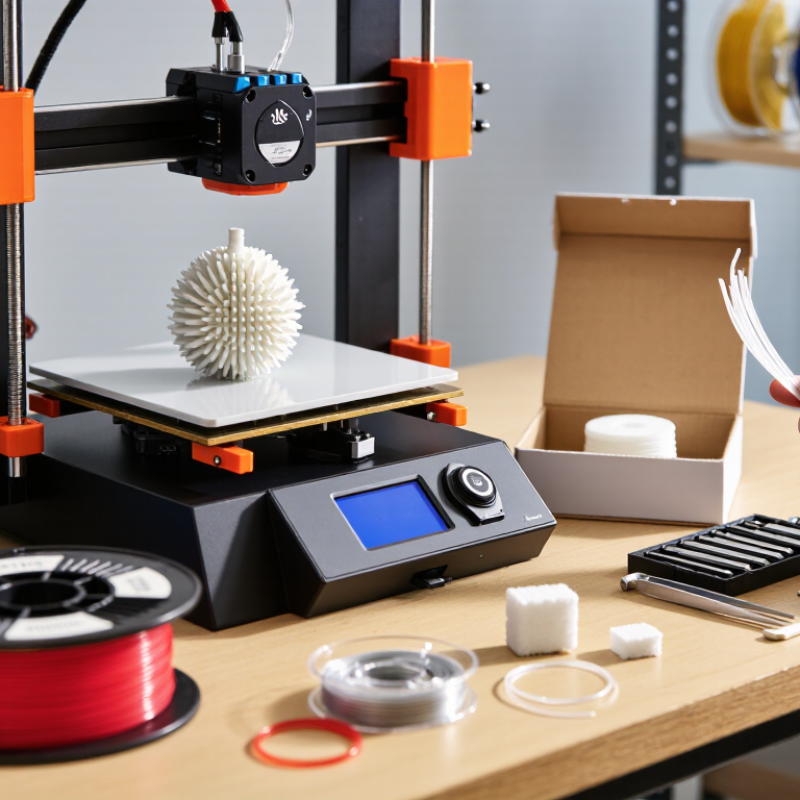
Filament Basics: 1.75 mm and 2.85 mm Are Common FFF Feedstock Sizes
FFF printers commonly use 1.75 mm or 2.85 mm filament. The correct size depends on the printer’s drive gears, hotend, and slicer settings. A mismatch can cause slipping, uneven extrusion, or a blocked feed path. Check the machine specifications before opening a spool.
Diameter changes material flow. Using the cross-sectional area formula, πr², a 2.85 mm filament carries about 2.65 times the material per millimetre of a 1.75 mm filament. The printer must account for that difference. Wohlers Associates’ Wohlers Report 2024 estimated that the global additive manufacturing industry reached $20.035 billion in 2023, up 11.1% from 2022. That report tracks industry revenue, not filament-size use, but it reflects the growing importance of choosing compatible materials and equipment. Still, diameter alone does not guarantee a clean print.
Tips: Read the printer manual, then verify the spool label. If extrusion looks inconsistent, check the filament path and feed settings before changing several variables at once. A little trial and error is normal.
Dimensional Control: Commercial 1.75 mm Filament Often Targets ±0.02 mm
For a 1.75 mm filament, a ±0.02 mm target gives a diameter range of 1.73–1.77 mm. That looks tiny on a caliper. Yet, assuming a round filament, it means roughly −2.3% to +2.3% variation in cross-sectional area. The printer feeds volume, not just length, so diameter changes can affect extrusion consistency. Turner and colleagues’ 2014 review of material-extrusion processes in the Journal of Manufacturing Science and Engineering discusses how feedstock variation influences material flow. ISO/ASTM 52900:2021 provides additive-manufacturing terminology, but it does not establish a universal filament tolerance. The ±0.02 mm figure is a commercial target, not a guarantee that every spool meets it.
A narrow tolerance can help produce steadier walls and more predictable small features, such as a 0.4 mm nozzle’s thin perimeter. It cannot fix wet filament, a worn nozzle, or incorrect flow settings. And the diameter reading depends on where and how it is measured. I can over-focus on one neat measurement; several readings around the spool tell a more useful story.
Tips: Measure at several points and rotate the filament to check for ovality. Use a calibrated caliper, and record the lowest and highest readings. If prints show inconsistent extrusion, check moisture and feed settings before blaming diameter alone.
Material Testing: Compare PLA, PETG, and ABS Using ASTM D638 Tensile Data
Why Is 3D Print Filament Important for Your Project?
A tensile test can reveal more than a filament’s advertised strength. ASTM D638 describes methods for measuring plastic tensile properties, including strength and elongation. For printed parts, the result also depends on layer direction, nozzle temperature, infill, and specimen preparation. Small changes matter.
PLA often shows high stiffness, so a printed bracket may resist bending but break with limited warning. PETG commonly stretches further before failure, which can help with clips or parts exposed to repeated flexing. ABS may offer useful heat resistance, yet printed specimens can warp or split between layers. These are tendencies, not guarantees. Formulations and print settings vary.
For a fair comparison, print several specimens of each material with matching geometry and settings, then test them in the same orientation. Record the force at failure and how far each specimen stretches. A single sample is a weak basis for a decision. Even careful tests cannot perfectly predict a finished part with holes, corners, or changing loads. I would treat the data as a guide, not a verdict. That caveat matters. A slightly imperfect test can still expose a practical trade-off: stiff and brittle, flexible and tough, or heat-resistant but harder to print consistently.
Thermal Limits: Match Filament Tg and HDT Datasheet Values to Project Needs
Why Is 3D Print Filament Important for Your Project?
A part can look sturdy on the build plate and still soften in a warm car. Check both glass-transition temperature (Tg) and heat-deflection temperature (HDT) before choosing filament. Typical thermoplastic datasheets place PLA’s Tg around 55–65°C and ABS’s near 100–105°C, though formulations and test methods change results. Tg marks a material transition, not a safe continuous-use temperature. HDT describes deformation under a specified load; ASTM D648 defines the test conditions. ISO 11357-2 covers measuring Tg by differential scanning calorimetry. These values answer different questions.
For a bracket beside a warm motor, compare the expected operating temperature with the datasheet’s HDT, including its stated test load. Leave a safety margin. Printed parts may soften or creep earlier than molded test bars because layer bonding, infill, and print orientation affect performance. A datasheet value is useful, but it is not a promise for every printed geometry. That distinction is easy to overlook. I would also check whether the supplier reports dry or conditioned material, especially for moisture-sensitive filaments.
Tips: Find Tg, HDT, test load, and conditioning notes on the same datasheet. If the part will see heat, test a printed sample under realistic load and airflow. A small test can still miss long-term creep.
Feedstock Standards: ISO/ASTM 52903-1 Covers Polymer Material Extrusion
Why Is 3D Print Filament Important for Your Project?
Feedstock Standards: ISO/ASTM 52903-1 Covers Polymer Material Extrusion
A printed part starts with its feedstock. For polymer material extrusion, ISO/ASTM 52903-1 provides a common framework for specifying and supplying feedstock materials. It helps purchasers and suppliers describe what is being provided, rather than relying on a material name alone. Clear specifications make it easier to compare options and investigate inconsistent print results.
Details matter. A spool arriving with a damaged edge or unclear labeling can slow a job before printing begins. The standard supports more consistent communication about feedstock, but it does not guarantee that every printer will produce the same part. No standard can replace process checks. Operators still need to consider storage, machine settings, and the intended use of the part. A useful purchasing record can include the material designation, supplier documentation, and any handling instructions.
In practice, a neat data sheet may still leave questions. Does the material behave well with your nozzle and layer height? Is it suitable for the part’s expected conditions? These are worth checking with a small test print and documented results. That extra step can feel tedious. But it may reveal a mismatch before a full build wastes time and material.