What Are the Top Retail Store Cash Registers for 2026?
Choosing a checkout system is a practical decision, not just a matter of picking the newest screen. In 2026, retailers need to consider transaction speed, payment choices, inventory tools, reporting, and ongoing costs. A reliable Retail Store Cash Register should fit the way a store actually works, whether it serves a steady queue at a busy counter or handles occasional sales in a small shop.
The right setup may include a touchscreen terminal, barcode scanner, receipt printer, cash drawer, and software that keeps sales records organized. Look closely at how quickly staff can complete common tasks, from scanning an item to correcting a price. Check whether the system can continue operating during a network interruption, and confirm what support is available when hardware stops cooperating. Those details matter.
This guide compares leading options for different store sizes and needs, while explaining the features that deserve a closer look. It considers ease of use, payment flexibility, inventory management, integrations, and the full cost of ownership—not just the advertised price. A sleek display can still feel awkward during a Saturday rush. And no product suits everyone. Store layout, staff experience, and sales volume can change what “best” means. Some comparisons also depend on current plans and hardware bundles, so verify details with the provider before buying. A little caution helps.
What a Retail Store Cash Register Is and How It Works
What Are the Top Retail Store Cash Registers for 2026?
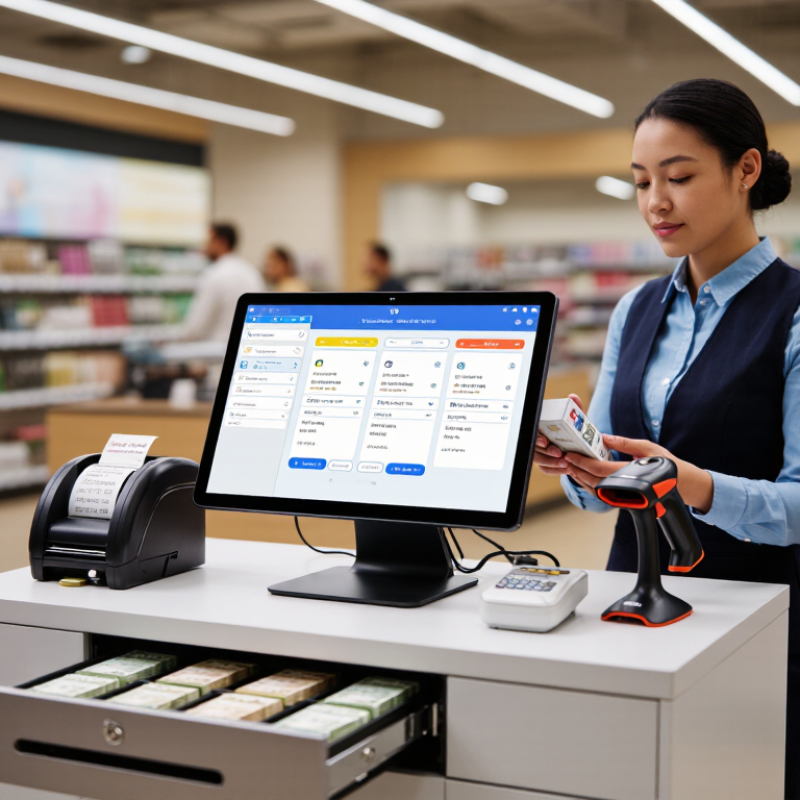
A retail store cash register records sales and helps staff take payment. In many shops, it is part of a point-of-sale system with a screen, receipt printer, cash drawer, and barcode scanner. A clerk scans a product, checks the displayed item and price, then selects a payment method. The system calculates the total, including configured taxes or discounts. It is not magic. Accurate item and pricing data still matter.
When a customer pays, the register records the transaction and provides a receipt. Cash payments may trigger the drawer to open, while card or other digital payments use a connected payment terminal. At closing, staff can compare recorded sales with cash in the drawer and review a shift report. Some systems also track stock, but that feature depends on setup and use. A scanner that misses a label or a drawer that sticks can slow a busy queue. These small problems are easy to overlook when choosing equipment. For 2026, retailers should consider their transaction volume, payment needs, staff training, and backup process before selecting a register.
| Register Setup | What It Is | How a Sale Is Processed | Typical Retail Use | Key Considerations |
|---|---|---|---|---|
| Traditional Fixed Checkout | A counter-based register with a connected display, payment device, receipt printer, and often a cash drawer and barcode scanner. | The cashier scans or enters items, reviews the transaction, accepts payment, and provides a receipt. The register records the sale and updates available sales or inventory data when connected to the relevant system. | Grocery, convenience, and general merchandise stores with dedicated checkout lanes. | Requires counter space and suitable power and network access. A separate payment terminal may be used, depending on the setup. |
| Tablet-Based Point of Sale | A register built around a tablet or touchscreen, usually paired with payment hardware, a receipt printer, and optional cash drawer or scanner. | The cashier selects or scans items on the screen, calculates the total, takes payment through a connected or integrated payment device, and sends or prints a receipt. | Boutiques, specialty shops, pop-up stores, and businesses that need a compact checkout counter. | Needs reliable charging and connectivity. Hardware compatibility and offline payment capabilities vary by system. |
| Mobile Checkout Register | A handheld device or mobile setup that lets staff complete transactions away from a fixed checkout counter. | Staff add items by scanning barcodes or selecting products, confirm the order, take payment on the device or a paired reader, and deliver a digital or printed receipt. | Sales floors, queues, markets, and stores offering assisted selling. | Battery life, wireless coverage, device security, and payment-reader compatibility are important operational factors. |
| Self-Checkout Station | A customer-operated checkout with a touchscreen, item scanner, payment device, and, in some installations, a scale or bagging area. | The customer scans or selects items, follows on-screen prompts, pays, and completes the transaction. Staff may assist with age checks, restricted items, or scanning exceptions. | Stores with suitable transaction volume and a layout that supports customer-operated checkout. | Needs clear instructions, accessible assistance, and controls for exceptions, loss prevention, and restricted-item checks. |
| Cloud-Connected Register | A register that sends transaction data to software hosted remotely, typically through an internet connection. | The register records sales and synchronizes relevant data, such as product and inventory information, with connected store tools. The exact functions depend on the software and configuration. | Retailers that manage more than one checkout point or need centralized access to sales information. | Internet availability, user permissions, data security, and the system’s behavior during an outage should be evaluated. |
| Integrated POS Register | A checkout system that connects the register with functions such as payment processing, product records, inventory, and reporting. | A sale is entered at checkout, payment is recorded, and connected functions may receive transaction details automatically. Integrations and update timing vary by system. | Retail businesses seeking a coordinated view of checkout activity and store operations. | Confirm that connected hardware and software meet the store’s needs, and check how data is backed up and exported. |
| Core Checkout Components | The hardware and software elements that capture items, calculate totals, take payment, and record completed transactions. | A barcode scanner or touchscreen identifies items; register software calculates prices and applicable taxes; a payment device handles card or contactless payment; and a receipt printer or digital receipt option confirms the sale. | Applies to most staffed and self-service retail checkout configurations. | Cash handling, tax rules, payment methods, receipt requirements, and peripheral connections should be configured for the store’s location and operating needs. |