How to Choose the Best Cloud Intercom for Your Business
Choosing the best Cloud Intercom for your business is not simply a matter of comparing feature lists. The right system should fit how visitors, staff, and delivery teams actually move through your site. A small clinic may need clear video and privacy controls at reception. A multi-site office may care more about remote access, directory management, and reliable integrations. Details matter. Customer-experience expert Shep Hyken has said, “Customer service is not a department, it’s a philosophy.” That principle applies at the entrance, where a delayed response can shape a visitor’s first impression.
This guide examines the practical questions behind a sound choice: audio and video quality, mobile answering, access permissions, installation needs, security practices, support, and ongoing costs. It also considers ordinary moments, such as a courier waiting outside while the receptionist is helping someone else. Before comparing vendors, identify who needs access, which doors matter, and what response time visitors can reasonably expect. Ask vendors for a live demonstration, not just polished screenshots. Check what happens when Wi-Fi drops, staff change roles, or a building adds another entrance. Cloud Intercom products can differ sharply in usability and service terms, even when their feature lists look similar. No checklist removes every risk, and a technically impressive system may still frustrate staff. The aim is a dependable fit, not the longest specification sheet. Expect to revisit your assumptions; that is useful, not a failure.
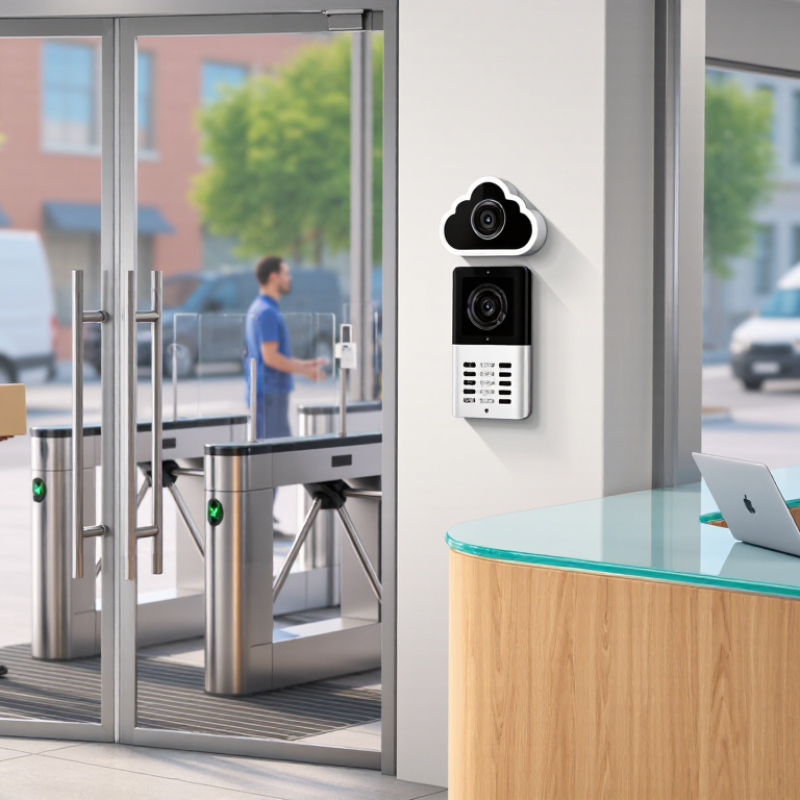
Cloud Intercom Basics: Gartner Forecasts $723.4B in 2025 Cloud Spending
Gartner forecast worldwide public-cloud end-user spending would reach $723.4 billion in 2025. The scale matters, but it does not prove every cloud service is a good investment. For a business evaluating an intercom, the practical question is narrower: can the service handle daily calls reliably, at a predictable cost? Cloud adoption can shift spending from on-site equipment to subscriptions, connectivity, and support. Those costs deserve equal attention.
Map the system to real building needs. Count entry points, estimate busy-hour call volume, and check whether staff can answer from their usual devices. Ask how the intercom behaves during a network outage. Test call clarity from a lobby with a closing door, not just from a quiet office. That matters. Review data storage, access controls, backup options, and integration requirements with your IT team. Request a written breakdown of recurring fees and any equipment needed at each entrance.
A large cloud market can encourage useful competition, yet it can also make feature lists feel more impressive than the everyday experience. Compare vendors using the same trial tasks and measurable criteria. Record missed calls, connection delays, and setup time. I would not assume a cloud system removes maintenance; it changes who manages parts of it. Some needs may be missed during a short trial, so revisit the decision after staff have used the system in normal conditions.
Compare Audio, Video, Mobile Access, and Remote-Entry Features
When comparing cloud intercoms, test how each handles a real arrival, not just its feature list. Audio should stay clear with traffic outside and a delivery driver speaking from the gate. Check whether the indoor unit and phone app both ring reliably. Even a short delay can make a simple exchange confusing. That matters.
Video helps identify visitors, but it is only useful when the image is clear. Check the view at night and in direct sunlight, and look for blind spots near the entrance. A camera can still struggle with glare or a visitor standing too close. Consider whether you need a live view, recorded clips, or both, and how easily authorized staff can review them.
Mobile access lets staff answer from another room or while away, but notifications and network quality affect response time. Test the app on the phones your team actually uses. For remote entry, check that permissions can be limited to named users and removed when roles change. Look for a clear record of door releases. Ask what happens during an internet or power outage; cloud access is convenient, but it should not be your only plan. The answer may be less neat than the sales page suggests.
How to Choose the Best Cloud Intercom for Your Business
Compare audio, video, mobile access, and remote-entry features using a sample procurement weighting.
These percentages are illustrative planning weights, not measured product or market data. Adjust them to reflect your site’s security needs, visitor volume, and access policies. Compare systems against the same criteria before making a decision.
Assess Security and Resilience: IBM Reports a $4.88M Average Breach Cost (2024)
Choosing a cloud intercom means examining what happens when accounts, recordings, or service access are compromised. The 2024 Cost of a Data Breach Report put the global average breach cost at $4.88 million. That figure covers breaches across industries, not intercom systems alone. Still, it shows why a low monthly price cannot be the only measure of value. A breach can bring investigation, downtime, customer notification, and recovery costs.
Ask providers how they protect call audio, account credentials, and administrator access. Look for encryption in transit and at rest, multifactor authentication, role-based permissions, and detailed access logs. Check whether you can set retention periods and delete recordings. Request an independent security assessment, and ask how often it is updated. Vague answers are a warning sign. NIST’s Cybersecurity Framework 2.0, published in 2024, offers a practical way to assess governance, protection, detection, response, and recovery.
Resilience matters during a real outage, not just in a sales demonstration. Ask where backups are stored, how often recovery is tested, and what service-restoration targets apply. Try a simple scenario: the office internet fails during a busy morning. Can staff switch networks, use mobile devices, or route calls elsewhere? Get those steps in writing. No system is invulnerable, and a polished dashboard can be reassuring without proving recovery works. Insist on evidence, then revisit the plan as your team and risks change.
Pilot Coverage, Uptime, Usability, and Total Cost Before Choosing a System
How to Choose the Best Cloud Intercom for Your Business
A cloud intercom should work where people actually use it, not just beside the router. Pilot the system at the front desk, loading entrance, and farthest access point. Test calls during busy periods, with doors closed and background noise present. Note delays, dropped audio, and weak connections. A small pilot can reveal more than a polished demonstration.
Tips: Ask staff to complete common tasks without coaching. Check visitor calls, directory searches, and remote door-release workflows. Review uptime records, support response times, and what happens during an internet outage. The backup process may be less seamless than expected.
Usability matters because confusing controls slow down real interactions. Ask reception staff and occasional users to try the interface, then watch where they hesitate. Compare total cost over several years, including installation, subscriptions, network upgrades, training, and support. Some costs are easy to overlook. A system with a lower monthly fee may still require extra equipment or staff time. Revisit your assumptions after the pilot; a perfect score on paper does not guarantee a good fit.