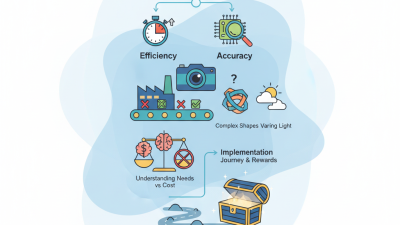
How to Choose Automation Solutions in 2026?
Choosing automation solutions in 2026 requires more than comparing software features. It demands a clear understanding of people, processes, data, and risk. Bill Gates once said, “The first rule of any technology used in a business is that automation applied to an efficient operation will magnify the efficiency.” That principle remains highly relevant for organizations planning their next automation investment.
A practical evaluation should begin with a visible workflow, such as invoice approval, customer onboarding, or warehouse scheduling. Map each step before selecting a platform. Look for reliable integrations, strong access controls, transparent audit logs, and useful analytics. A solution may appear intelligent, yet fail when an API changes or an exception reaches a human employee. Test those moments early. Small pilots often reveal more than impressive demonstrations.
Experience also matters. Ask vendors for measurable results from comparable industries, including implementation time, error reduction, maintenance effort, and total ownership costs. Security teams should review data handling before deployment. Operations staff should test the workflow themselves. Their feedback may expose practical weaknesses that executives miss.
No choice is perfect. That is the uncomfortable part. Some companies automate too quickly and create faster confusion. Others wait so long that competitors gain operational advantages. The strongest automation solutions support human judgment instead of hiding it. In 2026, responsible selection will combine technical capability, employee experience, compliance readiness, and evidence from real-world performance. A thoughtful decision may feel slower, but it usually creates a more dependable foundation for growth.

Defining Automation Goals, Scope, and Success Criteria
How to Choose Automation Solutions in 2026?
Defining Automation Goals, Scope, and Success Criteria
A reliable automation plan starts with a measurable problem, not a fashionable tool. Define the target in operational terms: cut invoice review from twelve minutes to eight. Reduce data-entry errors below one percent. Improve response time during peak hours. These figures create a practical baseline for comparing solutions. Ask who owns the process, who checks exceptions, and who can stop the workflow safely. Small details matter.
Keep the first scope narrow enough to observe. Map each step, input, decision, and handoff on a simple process diagram. During a pilot, record completion time, failure rates, manual overrides, and user complaints. Set a review window, such as four weeks, and compare results with the original baseline. Do not measure speed alone. A fast system that misroutes sensitive records creates expensive rework and serious governance concerns. Confirm access controls, audit logs, data retention, and accessibility before expanding beyond the pilot.
Success criteria should include people and process health. Interview operators after several busy shifts, not only during training. Their feedback may reveal confusing alerts or hidden workload. Our first estimate was wrong. We expected fewer exceptions, but unusual requests increased review time. That result did not invalidate automation; it exposed an incomplete scope. Revise the workflow, document the change, and test again with representative cases. Record every exception, including the ones nobody expected.
How to Choose Automation Solutions in 2026?
Defining Automation Goals, Scope, and Success Criteria
Global employer expectations show that automation selection should begin with a clearly defined business goal. The strongest priority is accelerating process and task automation, followed by using technology to augment employees. When defining scope, organizations should identify repeatable workflows, data dependencies, exception handling, and human approval points. Success criteria should combine productivity, quality, employee impact, and risk controls rather than focusing only on cost reduction.
Data source: World Economic Forum, Future of Jobs Report 2025. Percentages represent the share of surveyed employers expecting to pursue each workforce-related technology strategy by 2030.
Mapping Processes and Identifying the Best Automation Opportunities
How to Choose Automation Solutions in 2026?
Mapping Processes and Identifying the Best Automation Opportunities
Choosing automation in 2026 should begin with the work itself, not the software. Map one complete process from request to result. Record each handoff, approval, delay, and repeated data entry. A simple process map often reveals hidden friction. For example, a claims team may copy the same customer details into three separate forms. That is a stronger opportunity than automating an occasional task.
I have found that the best candidates usually share three traits: high volume, clear rules, and measurable delays. Start with time, error rates, and exception counts. Ask employees where work feels repetitive or mentally draining. Their practical experience can expose problems that dashboards miss. Small pilots are safer. Automate one narrow step, then compare processing time and error levels before expanding.
Not every process should be automated. Tasks involving sensitive judgment, unusual cases, or unclear responsibility need careful human control. Build approval points into the workflow. Keep records of decisions and test how the process handles missing information. I once assumed a highly repetitive task was ideal, but its exceptions consumed most of the team’s time. The map was accurate. My interpretation was not.
A useful evaluation also considers maintenance, accessibility, data protection, and staff training. Calculate the full cost, including monitoring and future process changes. Select solutions that fit the mapped workflow, rather than forcing employees into awkward steps. Clear ownership matters too. Someone must review performance, correct failures, and question whether the automation still serves its purpose.
Comparing Automation Technologies, Platforms, and Integration Options
Choosing automation in 2026 means comparing capabilities, not impressive demos. Workflow automation suits repeatable approvals, alerts, and data transfers. Robotic process automation helps with older interfaces that lack APIs. Event-driven services respond faster when systems publish reliable signals. Machine-learning tools can classify documents, but their outputs need review. Different problems need different technologies.
Platforms should be judged by governance, observability, and maintainability.
Check role-based access, audit trails, version control, and failure alerts. A low-code platform may speed delivery, yet complex exceptions can become difficult to test. Teams often discover this late. That is a useful warning, not a reason to reject low-code tools. Integration choices also shape long-term cost. Native connectors are convenient, while APIs offer stronger control and portability. Middleware can isolate systems, but it adds another layer to monitor. File-based exchange remains practical for batch work, although delays and duplicate records are common. Test the entire path with realistic data volumes. Measure latency, recovery time, data accuracy, and operator effort. Do not trust a successful demo. It may hide the difficult two percent.
Tips:
Map one process before selecting a platform. Record every handoff, exception, and manual correction. Ask vendors for security documentation and service-level details. Run a limited pilot with real users. Keep one manual fallback. Automation can fail quietly, and that risk deserves honest review.
Evaluating Security, Scalability, Costs, and Vendor Reliability
How to Choose Automation Solutions in 2026?
In 2026, automation decisions should begin with risk, not attractive feature lists. During pilot reviews, I check encryption, access controls, audit logs, and data retention settings. Security must cover both stored data and information moving between systems. Ask how incidents are reported, investigated, and corrected. Vague answers deserve attention.
Scalability needs practical testing. Run a small workflow, then increase the workload tenfold. Watch processing delays, API limits, queue behavior, and recovery after failure. A solution may perform well with 500 tasks but struggle with 50,000. Costs also require a wider view. Include setup, training, maintenance, integration, storage, and migration expenses. A cheap license can become expensive after usage grows. I have underestimated support costs before.
Vendor reliability is harder to measure than product performance. Request recent uptime records, customer references, support response targets, and documented release practices. Check whether the vendor explains outages clearly. Good partners provide realistic limitations, not perfect promises. Review contract terms carefully, including data ownership and exit procedures. Test support before signing. Send a difficult technical question and measure the response. One weak answer may not prove failure, but ignoring it creates avoidable risk.
Planning Implementation, Measurement, Maintenance, and Future Expansion
How to Choose Automation Solutions in 2026?
Choosing an automation solution in 2026 requires more than comparing features. Start with implementation reality. Map the current workflow, including manual approvals, delays, and repeated data entry. Select a pilot process that is valuable but manageable. A small warehouse task or invoice check can reveal integration problems early. Define ownership before launch. Someone must approve rules, monitor exceptions, and document changes. Security, access controls, data quality, and staff training should be reviewed with the same care as cost.
Tips: Set three measurable targets before testing. Track processing time, error rates, and human intervention. Use a baseline from four normal working weeks. A dashboard may look impressive while employees still repair outputs manually. Ask users what failed, not only what worked. Their feedback often exposes hidden costs. Keep the pilot long enough to include busy periods.
Maintenance is part of the purchase decision. Workflows change when regulations, suppliers, or internal policies change. Schedule monthly reviews and test critical automations after every major system update. Keep a rollback plan. It matters. Future expansion should follow evidence, not excitement. Reuse proven data standards, approval rules, and training methods across departments. However, expansion can expose weak foundations. I have seen teams automate a broken process and increase confusion faster. Pause when results decline, investigate the cause, and adjust the design before adding more tasks.