What is a Cable Connector and How Does It Work?
A cable connector is a key component in modern electronic devices. It serves as the bridge between different sections of a circuit, ensuring seamless communication and power transfer. Understanding how these connectors work is crucial for anyone working with electronics. They come in various shapes, sizes, and types, each designed for specific uses.
Typically, cable connectors include features like pins and sockets, which facilitate a secure connection. Factors such as compatibility and durability significantly influence their effectiveness. A well-designed cable connector can enhance performance and reliability in systems, but poor choices can lead to failures.
Despite their importance, many people overlook the nuances of cable connectors. Not all connectors are created equal; selecting the right one requires careful consideration of application requirements. It's a common oversight that can lead to operational issues. A reliable cable connector can make a tangible difference in performance, making it essential to understand these devices better.
What is a Cable Connector?
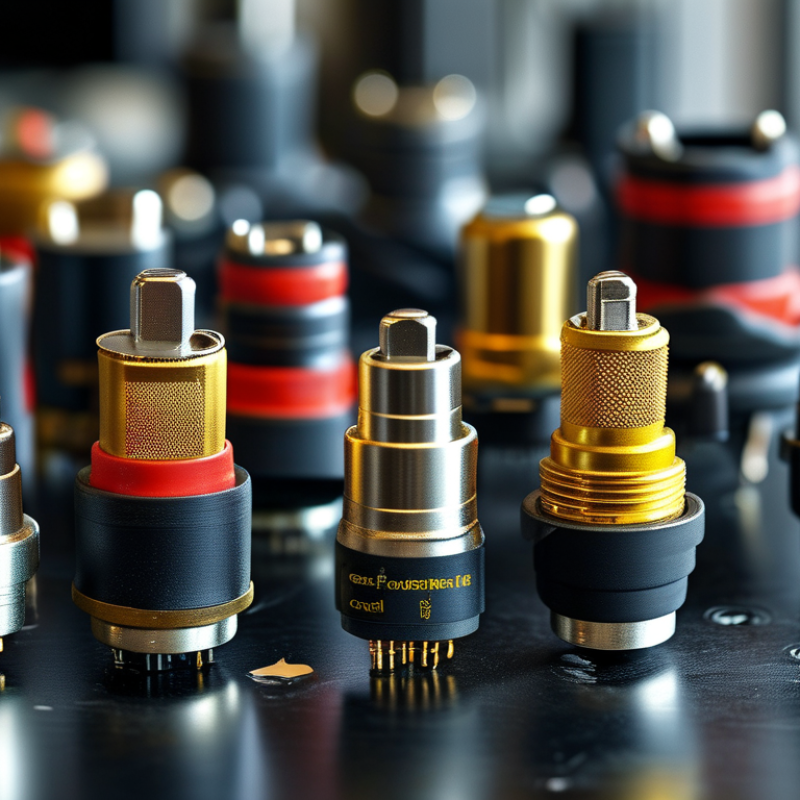
A cable connector plays a crucial role in connecting different electronic devices. It is a small component, often metallic, allowing the flow of electricity or signals. Common examples include connectors for audio cables, USB cables, and power cords. Each type has a specific design and function, tailored to meet the requirements of various devices.
Understanding cable connectors helps in troubleshooting issues. If a device fails to function, inspecting the connectors may reveal loose or damaged parts. Sometimes, connectors can wear out over time, leading to poor connections. In these cases, replacing the connector can restore proper functionality. Users often overlook the importance of maintaining these parts, but regular checks can prevent bigger problems later.
Not all connectors are compatible with every cable or device. Mismatched connectors can cause malfunction or damage. Users must pay attention to specifications and standards when selecting connectors. The variety available can be overwhelming, and it is easy to make mistakes. A little research can go a long way in ensuring the right fit.
Cable Connector Types and Their Popularity
Types of Cable Connectors and Their Applications
Cable connectors play a crucial role in various applications across industries. They facilitate communication and power transfer between devices. Common types include USB, HDMI, and RJ45 connectors. Each serves different purposes, such as data transmission and video output. For example, USB connectors are widely used in computers and handheld devices. They allow for easy file transfers and device charging.
Another popular type is the HDMI connector. It delivers high-definition video and audio signals between devices like TVs and gaming consoles. The versatility of HDMI connectors makes them essential for home entertainment systems. RJ45 connectors, on the other hand, are used in network cabling. They allow computers to connect to the internet or local networks.
Despite their widespread use, connectors can sometimes be overlooked. Users may not realize the significance of choosing the right connector. Using an inappropriate connector can lead to performance issues. There are also lesser-known connectors like the D-sub and coaxial connectors, each with its specific use. Over time, connectors evolve to meet technological demands. It's essential to keep this in mind when selecting cable connectors for specific needs.
How Cable Connectors Work: A Technical Overview
Cable connectors serve as critical interfaces in electronic systems. They facilitate communication and power transfer between devices. The working principle is simple: connectors create a conductive path that allows electrical signals or currents to flow. Each connector type has unique specifications, impacting its performance in various applications. For instance, according to a 2022 report by the International Electrotechnical Commission (IEC), high-speed connectors can transmit data at rates exceeding 25 Gbps.
The design of cable connectors often involves multiple components. These include housing, contacts, and strain relief features. Housing protects the internal parts from environmental factors. Contacts serve as conductive elements, ensuring a reliable connection. The strain relief feature prevents mechanical stress on the wires. A detailed analysis by the Engineering Society found that connectors with robust strain relief can improve lifespan by up to 30%.
However, not all connectors ensure flawless performance. Poor design can lead to signal loss and higher latency. Real-world testing indicates that connectors in harsh environments can degrade over time, impacting functionality. Engineers must consider the chosen materials and environmental factors when designing. Even minor flaws in connector fabrication can lead to substantial performance issues.
What is a Cable Connector and How Does It Work?
| Connector Type | Function | Common Uses | Advantages | Disadvantages |
| RJ45 | Data transmission for networking | Ethernet connections, routers, and switches | Widely used, reliable, and easy to install | Limited distance (up to 100 meters) |
| USB | Data and power transfer | Computers, chargers, and peripherals | Universal compatibility and easy to use | Possible wear and tear with frequent use |
| HDMI | Audio and video transmission | TVs, monitors, and gaming consoles | High-definition support and simple connections | Limited cable length for optimal signal |
| Coaxial | Cable television and internet | Cable TV and broadband connections | Strong resistance to signal interference | Bulkiness and rigidity of the cable |
Key Features to Consider When Choosing Cable Connectors
When selecting cable connectors, several key features should be considered. The material of the connector greatly impacts its durability and performance. Common materials include brass and plastic, each with unique pros and cons. Brass connectors offer better conductivity, while plastic ones are often lighter and corrosion-resistant, making them suitable for various applications.
The connector’s size and compatibility are crucial as well. It’s essential to match the connector with the cable diameter. A poor fit can lead to signal loss or damage. Consider the environment where the connector will be used. If exposed to moisture or dust, look for connectors with protective ratings, such as IP65 or higher.
Another aspect to reflect on is the ease of use and installation. Some connectors require special tools, while others can be connected easily by hand. It’s important to think about future maintenance too. A complicated setup can become a hassle. Always review product specifications and install instructions. This reduces potential issues later.
Common Issues and Troubleshooting for Cable Connectors
Cable connectors play a crucial role in establishing reliable connections for various electronic devices. However, they face several common issues that can affect performance. Over time, connectors can accumulate dirt or moisture, causing signal degradation. If you notice intermittent performance, this could be due to a poor connection.
Regular inspection is vital. Check for any signs of corrosion or damage on connectors. Ensure that cables are securely connected, as loose connections often lead to problems. If a connector is difficult to plug in or out, it may indicate wear or misalignment.
**Tips:** Keep connectors clean and dry. Use a soft cloth to wipe them regularly. If issues persist, consider replacing the connector.
Another common issue relates to compatibility. Not all connectors fit every device. Mismatched connectors can result in malfunction or no response at all. Always verify compatibility before making connections.
**Tips:** Research connectors needed for your specific devices. Familiarize yourself with common types to avoid confusion. Take note of the specifications – they matter.
Observing these steps can substantially improve the reliability of your cable connections. Engaging with your equipment and understanding how connectors work can lead to better performance and durability.