What Are the Top Smart Switches to Buy?
A Smart Switch can turn a wall control into a practical part of a connected home. You might dim the kitchen lights from the sofa, set a hallway schedule, or switch off a lamp with an app. But the best option depends on your wiring, bulbs, and preferred smart-home platform. A model that works smoothly in one home may be awkward in another. That matters. Before buying, check whether the switch needs a neutral wire, supports your lighting load, and connects directly to your chosen system or requires a hub. Small details count.
This guide compares leading smart switches by compatibility, everyday controls, installation requirements, and useful features such as dimming, scheduling, and voice control. It also considers whether the physical buttons feel clear and responsive, because app controls are not always the fastest choice. Product specifications and manufacturer instructions are important, but real-world fit matters too. A switch may promise broad compatibility and still need careful setup with certain bulbs or networks. No single model is perfect. The right choice balances reliable performance, sensible cost, and the needs of your household. Confirm wiring and load requirements before purchasing, and consult a qualified electrician if the installation is unfamiliar. The comparisons ahead aim to make those trade-offs easier to see, without treating extra features as automatic advantages.
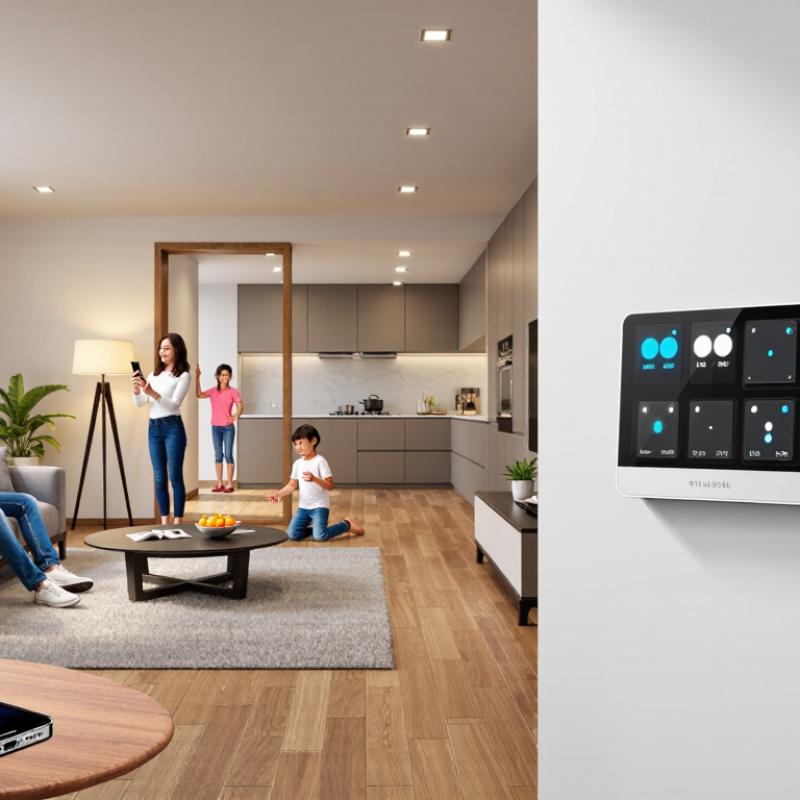
How Smart Switches Work and What They Can Control
A smart switch replaces a standard Wall Switch or fits behind it, then controls power through an internal relay. A wireless connection lets an app or automation send commands. Depending on the model, that link may use Wi-Fi, Thread, or another home network. Some switches need a neutral wire; older homes may not have one in the switch box. Check the wiring and electrical rating before buying, and ask a qualified electrician if anything is unclear.
The control is practical, not magical. Set a hallway light to turn off after bedtime, dim compatible bulbs for reading, or schedule a porch light at dusk. Some models also control ceiling fans, but only when rated for that load. Smart bulbs may become unreachable if a wall switch cuts their power. Small detail, big annoyance. Setup can also be fiddly: a shallow box, unusual wiring, or weak signal may complicate installation.
The U.S. Energy Information Administration’s 2020 Residential Energy Consumption Survey reports that lighting accounts for about 4% of household energy use. A switch cannot guarantee savings, but schedules and remote shutoff can help avoid lights being left on. The U.S. Department of Energy reports that LEDs use at least 75% less energy than incandescent bulbs; pairing efficient bulbs with sensible controls can make a lighting plan more effective. I’d still test schedules for a week—real routines rarely match the first settings.
What Are the Top Smart Switches to Buy? - How Smart Switches Work and What They Can Control
| Switch type | How it works | Typical controls | Wiring and compatibility | Good fit for |
| Wi-Fi on/off switch | Connects directly to a home Wi-Fi network and receives commands from an app or compatible voice assistant. | Lights and other electrical loads within the switch’s stated rating; schedules, timers, and remote on/off control. | Many models require a neutral wire. Check the wiring, load type, and electrical rating before purchase. | Straightforward app control without a separate smart-home hub. |
| Smart dimmer | Adjusts the power supplied to a compatible lighting load to change brightness, with control through the switch and, often, an app. | Dimming and switching compatible lights; some models also support scenes, schedules, or voice control. | The light bulbs or fixture must be dimmable and compatible with the dimmer. Neutral-wire requirements vary by model. | Rooms where adjustable light levels are useful. |
| Hub-based switch | Communicates with a compatible hub using a supported smart-home radio protocol; the hub connects the system to apps and automations. | On/off control, schedules, scenes, and automations, depending on the switch, hub, and connected platform. | Requires a compatible hub and protocol. Wiring and supported loads vary by model. | Homes that already use a compatible hub or need coordinated smart-home automations. |
| No-neutral smart switch | Designed for certain installations without a neutral wire in the switch box; its operation may depend on the connected load or an included accessory. | Usually on/off control for compatible lighting; app and voice features depend on its connectivity and ecosystem. | Compatibility is model-specific. Some lighting circuits may require a bypass or other included component; verify the manufacturer’s wiring instructions. | Older switch boxes where a neutral wire is unavailable, subject to circuit compatibility. |
| Three-way smart switch kit | Coordinates a main smart switch with a compatible companion or second switch so one light circuit can be controlled from multiple locations. | Local control from multiple wall locations, plus app or voice control when supported. | Requires a compatible multi-location setup and correct identification of the circuit wiring. Not every standard three-way arrangement is supported. | Hallways, stairways, and rooms with two or more control points. |
| Smart fan control | Controls a compatible ceiling fan, commonly with on/off and preset speed settings; some systems use a dedicated control rather than a light dimmer. | Fan power and supported speed settings; separate light control is available only when the model and wiring support it. | Must be rated for the fan motor and its control method. A lighting dimmer should not be used to control a fan motor unless specifically rated for that use. | Ceiling fans that need app-based or scheduled control. |
How smart switches work: A smart switch combines a physical wall control with a connected control circuit. Depending on the model, commands can come from the switch, an app, a schedule, a voice assistant, or a smart-home automation. Smart switches generally control the wired circuit, so the connected fixture or device must remain compatible with the switch and its electrical rating. Check wiring, load ratings, connectivity requirements, and local electrical rules before installation; consult a qualified electrician if you are unsure.
Key Features to Compare Before Buying a Smart Switch
A smart switch should fit the wiring and lighting you already have. Check whether your switch box contains a neutral wire; some models require one, and older homes may not. Confirm the switch’s voltage, maximum load, and support for LEDs or dimmable bulbs. Dimmer compatibility matters. A switch that flickers with a low-wattage LED can make a quiet room feel irritating.
Compare control options next: physical buttons, schedules, remote access, and compatibility with your existing smart-home system. A wall switch should still work when Wi-Fi drops. Check whether it needs a separate hub, and review what data its app collects. Small details count. A tiny status light can be distracting beside a bed, while a crowded switch box can complicate installation.
Look at energy claims carefully. The U.S. Department of Energy’s 2017 analysis of networked lighting controls in commercial buildings reported average energy savings of 47% across reviewed applications. That is not a household guarantee; room use, daylight, and habits change the result. ENERGY STAR says LEDs use up to 90% less energy than incandescent bulbs, but that comparison concerns bulbs, not smart switches. I would not buy a switch based on savings figures alone. Check the load label, test the actual bulb combination, and consider whether scheduled shutoff suits the room.
Smart Switch Buying Guide: Compare 2.4 GHz Channel Ranges
Wi-Fi channels 1–13 have center frequencies from 2412 to 2472 MHz. Zigbee and Thread channels 11–26 span 2405 to 2480 MHz. These ranges overlap, so consider your home’s wireless congestion when comparing connectivity. Also check whether a switch needs a neutral wire or hub, supports your bulb type and load, and works with your preferred smart-home ecosystem. Channel availability varies by region.
Top Smart Switches for Different Homes and Budgets
What Are the Top Smart Switches to Buy?
Top Smart Switches for Different Homes and Budgets
The right smart switch depends on your wiring, lighting, and daily routines—not just its price. In a newer home with a neutral wire, many standard smart switches offer scheduling, app control, and voice-assistant support. Renters may prefer a plug-in option that needs no wall wiring, while larger homes can benefit from switches that work reliably across several rooms. Check your Wi-Fi coverage, too. A switch is only useful when it stays connected.
Tips: Before buying, remove the wall plate and check whether a neutral wire is present. Confirm that the switch supports your bulb type and dimming needs. When wiring is unfamiliar, ask a qualified electrician rather than guessing. Small detail. Important one.
For tighter budgets, start with one frequently used light, such as a hallway or porch fixture, and see whether the controls fit your routine. Premium models may add energy reports, multi-way support, or local control during internet outages. Those features can be worthwhile, but not for every household. One trade-off is easy to miss: smart bulbs and smart switches may conflict when paired, leaving the bulb without power. Think through how everyone at home will use the wall switch. That part can be messier than expected.
How to Match a Smart Switch to Your Wiring and Smart Home
Before choosing a smart switch, check the box, not just the product description. A neutral wire is required by many models, while some are designed for boxes without one. Identify the circuit type too: a single-pole switch controls one location; a three-way setup controls a light from two locations. Wire colors can vary, so do not rely on color alone. Turn off the breaker and verify the wires with a tester, or ask a qualified electrician. Wiring matters more.
Next, match the switch to the lights and your smart-home system. Dimming requires compatible bulbs; LEDs may flicker if the switch and bulb are not designed to work together. Check whether the switch connects through Wi-Fi, Thread, or another protocol, and confirm that your hub or app supports it. DOE’s Energy Saver guidance estimates that lighting uses about 15% of a typical home’s electricity, making reliable control worthwhile. Still, a smart switch is not automatically an energy saver: habits and settings matter. I find wiring diagrams easy to misread, especially in crowded boxes. Test before buying.
Common Installation and Compatibility Considerations
A smart switch can fit neatly into a room and still be the wrong choice for its wiring. Before buying, remove the wall plate and check how many wires enter the switch box. Many models need a neutral wire, often bundled at the back; older homes may not have one. If the box contains only two insulated wires, pause and check the product’s wiring requirements rather than guessing. Small detail, big impact.
Compatibility also depends on the light and the network. Check whether the switch supports dimming, the lamp type, and the circuit’s total load. A dimmable switch paired with a non-dimmable bulb can cause flickering or poor performance. Confirm whether the device connects directly to Wi-Fi or needs a separate hub, and check that your home network uses a supported band. Signal strength matters. A switch in a concrete hallway may respond less reliably than one near the router. For a three-way circuit, verify that the switch supports that arrangement; it may require a matching companion device. Turn off power at the breaker and verify the wires are not live before installation. If the wiring is unclear, ask a qualified electrician. Photos help, but they do not replace testing.