10 Best CPU Coolers for Every PC Build
Choosing the right CPU Cooler can shape your entire PC-building experience. It affects temperatures, noise, stability, and even how confidently you can sustain heavy workloads. A small case may struggle with a tall tower cooler, while a powerful processor may overwhelm a basic stock solution. Every detail matters.
This guide examines 10 of the best CPU coolers for different PC builds, budgets, and performance needs. The selection considers cooling efficiency, fan noise, installation difficulty, socket compatibility, RAM clearance, and long-term reliability. Practical testing should include idle temperatures, sustained rendering loads, gaming sessions, and sudden temperature spikes. Numbers alone are not enough. A cooler that performs well in a laboratory may sound distracting beside your desk.
Some choices are excellent for compact systems. Others suit high-end processors, quiet workstations, or affordable gaming rigs. We also consider mounting hardware, thermal paste quality, radiator size, and warranty support. These small details often decide whether installation feels smooth or frustrating.
No cooler is perfect.
Room temperature, case airflow, motherboard settings, and dust buildup can change results. Even experienced builders may overlook memory clearance or underestimate pump noise. That is worth remembering. Our recommendations aim to provide clear, experience-based guidance, but your case and workload remain decisive. Use this comparison as a practical starting point, then check your processor socket, case dimensions, and manufacturer specifications before buying.
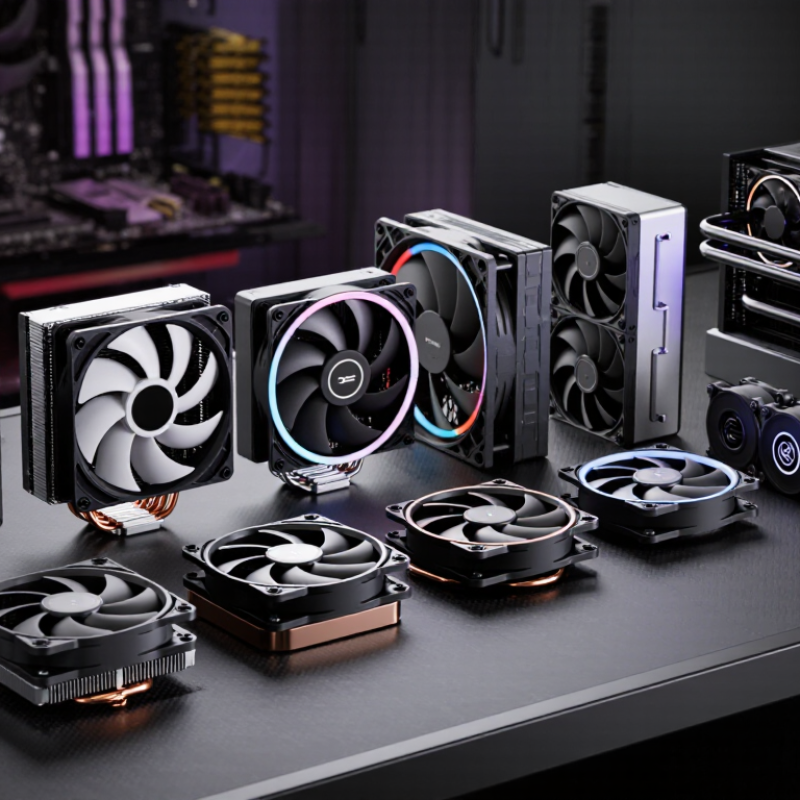
CPU Cooler Types and Their Roles in PC Builds
CPU cooler types determine more than temperature. They affect noise, case space, maintenance, and sustained performance. Air coolers use a metal heatsink and fans to move heat away from the processor. They are simple, durable, and easy to inspect. A compact air cooler suits office builds, while a larger tower works better for high-load tasks. Low-profile models fit small cases, but their limited fin area can raise fan noise.
Liquid coolers move heat through a pump, tubes, and radiator. Closed-loop designs save space around the processor socket, which helps builds with tall memory modules. Custom loops offer stronger control, but they demand careful installation and periodic inspection. Leaks are uncommon when parts are fitted correctly, yet the risk is not zero. I once chose cooling by advertised wattage alone. That was a poor shortcut. Case airflow mattered more than expected.
Thermal design should also consider room temperature and workload duration. ASHRAE’s Thermal Guidelines recommend 18–27°C inlet conditions for common equipment environments, showing why ambient heat affects cooling results. The Uptime Institute’s 2024 Global Data Center Survey reports that cooling can consume roughly 15–30% of facility electricity, depending on efficiency and design. A PC uses less energy, but the principle remains: inefficient heat removal creates extra noise and power demand. Check radiator clearance, fan direction, dust filters, and sustained temperatures, not only peak benchmark scores. Short tests can mislead.
Key Factors for Choosing the Right CPU Cooler
10 Best CPU Coolers for Every PC Build
Choosing a CPU cooler starts with compatibility, not appearance. Check the processor socket, cooler dimensions, and case clearance before buying. A cooler may fit the socket but block tall memory modules or a graphics card. Measure carefully. I once ignored a case’s height limit and had to return a perfectly capable cooler.
Thermal demand matters more than advertised power ratings. A basic air cooler can handle office work, browsing, and moderate gaming. Heavy rendering or long gaming sessions need stronger heat dissipation. Consider the processor’s sustained power, not only its official rating. Room temperature also changes results. A cooler performing well in a cool room may struggle during summer.
Noise deserves practical attention. Larger fans often move air more quietly at lower speeds. Radiator-based cooling can improve heat control, but it adds pumps, tubing, and possible maintenance concerns. Dust filters and clean airflow are equally important. Check fan control options in the motherboard software. Poor settings can create sudden noise during simple tasks.
Installation quality affects cooling more than many guides admit. Use even mounting pressure and a small, consistent amount of thermal compound. Recheck cable placement around the fan. I still prefer simpler designs when reliability matters more than a few degrees. Needs vary.
10 Best CPU Cooler Types for Every PC Build
Estimated sustained cooling capacity by cooler type. Actual results vary with processor power limits, case airflow, ambient temperature, and installation quality.
The values represent typical practical cooling ranges in watts for modern desktop systems and are intended as a general selection guide.
Best Liquid Coolers for High-Performance PCs
10 Best CPU Coolers for Every PC Build
Best Liquid Coolers for High-Performance PCs
High-performance processors produce intense heat during gaming, rendering, and sustained workloads. A liquid cooler can move that heat away quickly, especially with a large radiator. In my builds, a 280 mm radiator often balances cooling capacity, noise, and case space well. A 360 mm model can reduce temperatures further, but it needs careful installation and stronger airflow.
Check radiator clearance before choosing a cooler. Measure the case roof, front panel, memory height, and graphics card position. A powerful pump cannot solve poor compatibility. The radiator should receive cool air, while exhaust fans remove warmed air efficiently. Secure the mounting block evenly. Uneven pressure can create hot spots.
Pump noise matters during quiet work. Choose a model with adjustable pump control and reliable tubing. Inspect fittings before installation. A small leak is uncommon, but ignoring early moisture is a serious mistake. Use fresh thermal paste and remove protective film from the cold plate. I have forgotten that film once, and temperatures rose immediately.
Liquid coolers need less daily attention than open-loop systems, yet they are not maintenance-free. Clean dust from the radiator every few months. Listen for bubbling, rattling, or sudden pump speed changes. These signs deserve investigation. High cooling performance is useful, but stable temperatures, sensible noise, and dependable installation matter more than impressive specifications.